 mikoo
mikooPlatform specs / 2026-09-08
TikTok video specs for product posts and ads in 2026: size, length, safe zones
The numbers that matter before you upload a product video to TikTok: aspect ratio, resolution, file limits, how long organic posts, In-Feed ads, Spark Ads and TikTok Shop videos can run, and where the UI covers your frame.

Most product videos get rejected or cropped for boring reasons: wrong shape, a caption under the like button, a Shop listing clip that runs two seconds too long. This is the short list of specs to check, grouped by where the video is going. Numbers verified against TikTok's help center and current ad-spec guides in September 2026.
The one spec that covers everything
If you export one file and want it to work everywhere, make it this:
| Spec | Value |
|---|---|
| Aspect ratio | 9:16, vertical |
| Resolution | 1080 × 1920 px |
| Format | MP4 or MOV, H.264 video, AAC audio |
| Frame rate | 24 to 30 fps |
| Bitrate | 2,000 to 2,500 kbps at 1080p |
| File size | Under 500 MB, ideally under 100 MB |
| Sound | Always on. Silent clips are treated as broken |
Square (1:1) and landscape (16:9) are accepted for ads but get letterboxed in the feed, which is the first signal that the video was made for somewhere else.
Length by placement
Length is where the placements differ, so check the destination before you cut.
| Placement | Length |
|---|---|
| Organic post, in-app upload | Up to 10 minutes |
| Organic post, web upload | Up to 60 minutes |
| In-Feed ad | 5 seconds to 10 minutes; TikTok recommends 9 to 15 seconds |
| Spark Ad | Whatever the boosted organic post is |
| TikTok Shop product video (listing) | 9 to 60 seconds, minimum 720p |
For a product, the practical range is 8 to 15 seconds for a hook or UGC clip, and up to 30 seconds if there is a demonstration to show. Longer than that only works when the content earns it.
Spark Ads are the one to plan around: they boost an existing post on your account or a creator's, so the clip has to work as an organic post first. That is a reason to make the organic version right rather than a separate ad cut.
Safe zones: where the UI sits
TikTok draws its interface over your video. The exact pixels shift with app versions and screen sizes, so treat these as margins to stay inside, not as a template:
| Edge | Keep clear | What sits there |
|---|---|---|
| Top | About 130 to 160 px | Following / For You tabs, search |
| Bottom | About 300 to 440 px | Caption, username, sound, the ad CTA button |
| Right | About 120 px | Profile, like, comment, share, save |
| Left | About 60 to 80 px | Nothing fixed, but text against the edge looks cramped |
Two consequences for product clips:
- Keep the product in the middle 60% of the frame vertically. A bottle that sits at the bottom of a counter shot is under the caption.
- Do not bake in text near the bottom. If you need on-screen words, put them in the upper-middle third. Better, leave the text to TikTok's own text tool, which knows where the UI is.
TikTok publishes a downloadable overlay template in its help center. Drop it on your timeline as a top layer before export if the composition is tight.
Ad-specific limits
If the clip runs as a paid In-Feed ad, three text fields come with it:
- Ad description: 1 to 100 characters, no emoji, no hashtags that are not yours.
- Display name: 2 to 20 characters.
- CTA button: picked from TikTok's fixed list. "Shop now" and "Learn more" cover most products.
The video itself cannot carry a watermark from another platform. Clips with a visible TikTok or Instagram mark are rejected, and clips that look re-posted are quietly under-delivered.
TikTok Shop videos
Shop has its own rules because the video sits on a product page, not just in the feed:
- 9:16, at least 720p, 9 to 60 seconds.
- The product in the video has to match the listing. A different colorway is enough to fail review.
- No prices or promotion text inside the video that conflict with the listing.
- Sound on, but no third-party music you do not have rights to. Room sound or the commercial library is safe.
A spec-correct clip from one photo
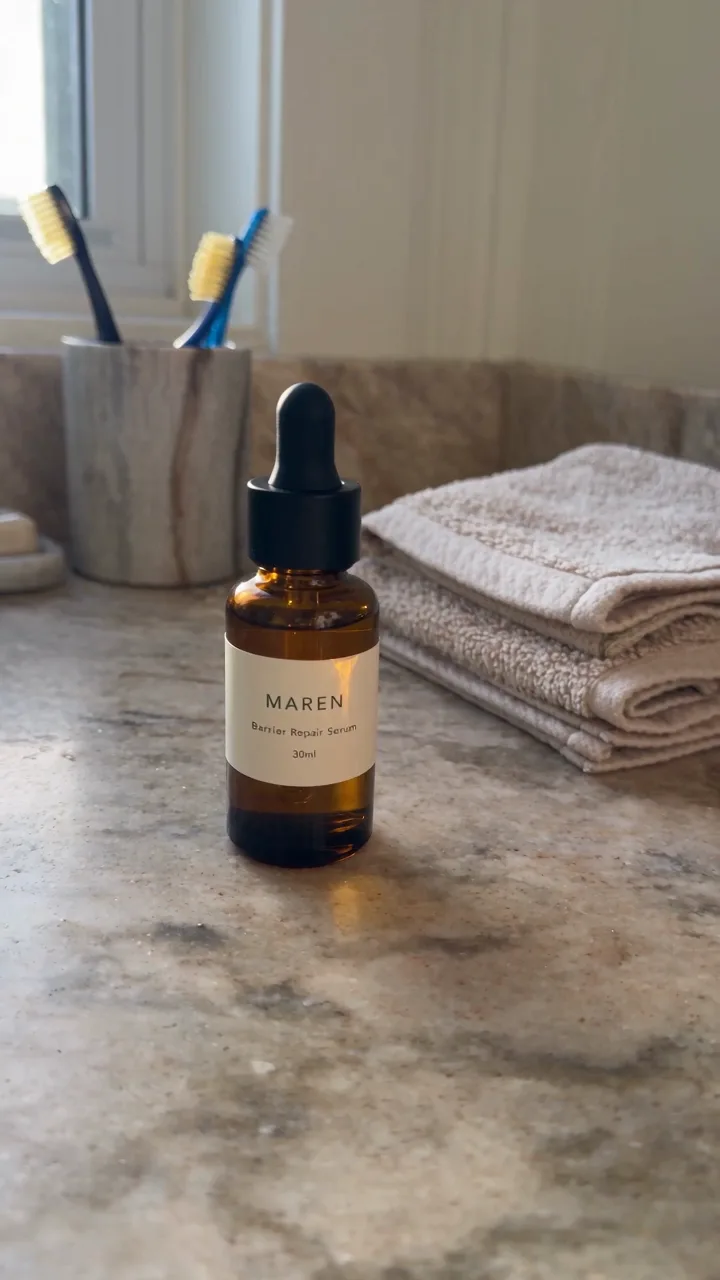
If you do not have a video yet, one product photo is enough to make one that meets all of the above. Ask for the placement and the shape, and the output arrives as 9:16, 1080 × 1920, with sound:
A 15-second vertical UGC clip for TikTok, US audience. Hands only, no voiceover, keep the room sound, no music.
For an app rather than a physical product, the same applies from an icon and one screenshot:
A 10-second vertical hook ad for this dating app. Open on the problem, cut to the map with people nearby, end on Match. Real phone in hand, no voiceover.
Both keep the product centered and the bottom of the frame clear, so nothing lands under the caption.
Specs change
TikTok revises these limits a few times a year, usually the length caps and the safe-zone pixels. Before a large upload, check the current page at TikTok for Business: video ad specs and the Seller Center's product video rules.